Page / 004
After2AM Monitor
After2AM Monitor is a native macOS utility that sends a stereo line input from a Scarlett (or another Core Audio input device) to the Mac's current system output. It is designed to follow output changes made in macOS, including AirPlay/HomePod routes exposed as the default Core Audio output by rebuilding its route when macOS reports a change. Hardware validation of HomePod switching is still pending. It does not record audio.
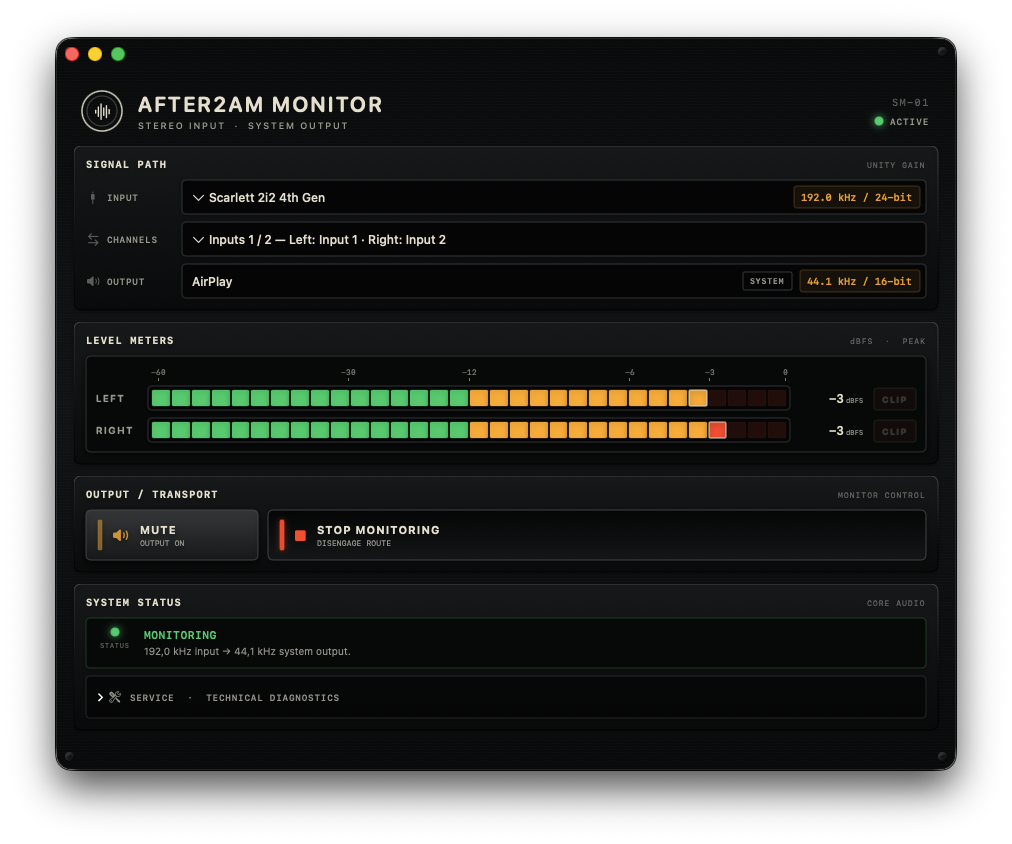
After2AM Monitor for Mac
Requires macOS 14 or later. The universal download supports Apple silicon and Intel Macs.
This independent build is ad-hoc signed but is not notarized by Apple. macOS will block its first launch until the user explicitly approves it:
1. Download and expand the ZIP, then move After2AM Monitor to Applications.
2. Try to open the app once and dismiss the Apple security warning.
3. Open System Settings → Privacy & Security and scroll to Security.
4. Click Open Anyway, authenticate, and confirm Open.
The override is available for about an hour after the first launch attempt. Only override the warning for a download obtained from the official After2AM website. Apple documents the same procedure in Open an app by overriding security settings.
To verify the downloaded archive in Terminal, run:
shcd ~/Downloadsshasum -a 256 -c After2AM-Monitor-0.1.3-macOS-universal-unnotarized.zip.sha256The checksum file must be downloaded to the same folder as the ZIP.